
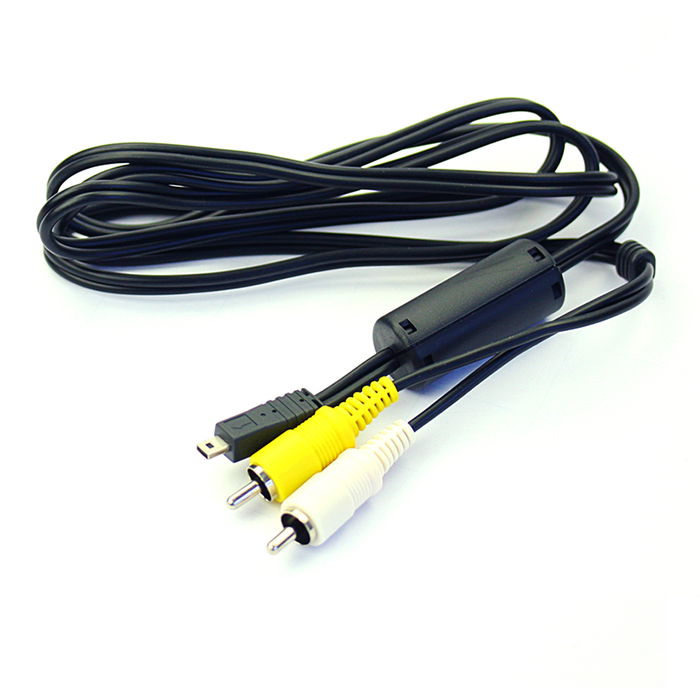
RCA Cable for Panasonic Lumix S5, LX100, FZ1000, GM1, TZ5, FZ300, GX7, GH4, GM5, TV, DVD, Blu-Ray, Camera, Console - 0,6m AV Cord, RCA Connector, Audio Visual Composite AV Cable
(39 reviews)
Article number: 101300
Product gallery
Not available
Expected on 08.11.2026
5% discount if ordered in advance
Compatible with
€14.95
€14.20
-5%
Overview
Premium RCA Cable – High-Quality Audio & Video Composite 0,6m AV Cable for Superior Sound & Picture Performance.
Experience crystal-clear, high-def sound and sharp video quality with our high-performance subtel AV cable. Whether you're connecting a TV to a DVD player, games console, home entertainment or sound system, this high-fidelity RCA cable delivers clear, noise-free standard definition (SD) analogue transmission with seamless connection and minimal signal loss.Why Choose Our RCA Cables?
Universal Compatibility – Connects devices with RCA (phono) portsPremium Audio & Video Quality – Crisp sound and sharp video
Secure-Fit Connectors – Ensure a stable connection without signal loss
Durable Construction – Premium build for long-lasting performance
Fully compatible with Panasonic Lumix DMC
with RCA connectors (yellow (video) / white (audio left) - red (audio right))
with RCA connectors (yellow (video) / white (audio mono))
with a SCART connector (adapter not included)
Perfect for:
✔ Home entertainment & audio systems
✔ Gaming consoles
✔ TVs & projectors
✔ DVD & Blu-ray players
✔ Subwoofers & amplifiers
Upgrade your audio-video experience with our high-quality RCA cables from subtel – order now for fast delivery & a 3-year guarantee!
Technical details
| Article number: | 101300 |
|---|---|
| Weight: | 43 g |
| Length: | 140 mm |
| Width: | 90 mm |
| Height: | 20 mm |
| EAN: | 4250264953307 |
Compatibility
Reviews
Review by
Béatrice
Câble me permettant de visionner sur un écran TV les vidéo de mon appareil photo numérique Lumix
Bonne qualité d'image
Tres contente de mon achat
Bonne qualité d'image
Tres contente de mon achat
This review was translated automatically. Source language was
Review by
Eric
Review by
Stefan
As good as it got for me to my camera
Review by
yvan
item received very quickly and in accordance with the order
This review was translated automatically. Source language was
Review by
Olivier
Corresponds to my expectations
This review was translated automatically. Source language was
Review by
Bernard
Excellent quality product.
This review was translated automatically. Source language was
Review by
Ulf
Well made and high quality
Review by
Marcello
Product of excellent workmanship as described
This review was translated automatically. Source language was
Review by
L.M.
Cable looks good and works as I hoped it would.
This review was translated automatically. Source language was
Review by
Louis
The sound is in mono, too bad it is not in stereo.
This review was translated automatically. Source language was
Product safety
Manufacturer / EU Responsible person
| Manufacturer | subtel GmbH |
|---|---|
| Address | Mainzer Str. 3, Berlin, 10247, Germany |
| info@subtel.de | |
| Safety data sheet | download |